


myColorado
4.25.56K Reviews
App Specs
- Version
- 13.3.1
- Updated On
- License
- Free
- Downloads
- 500,000+
- Developer
- State of Colorado - Governor's Office of IT
- Categories
- Business
- Platform
- Android, iOS
Screenshots
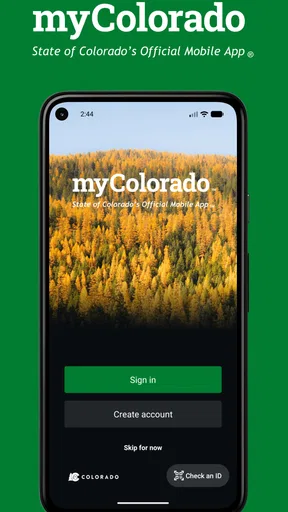
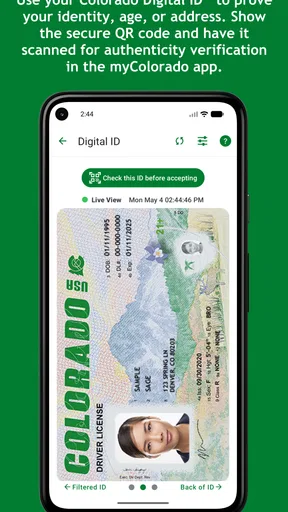
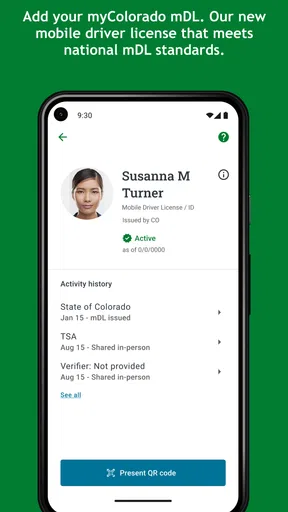
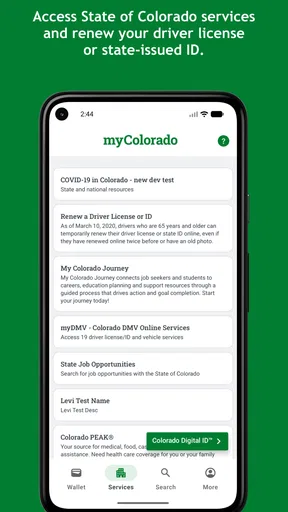
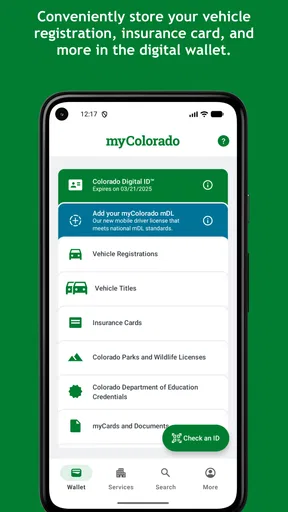
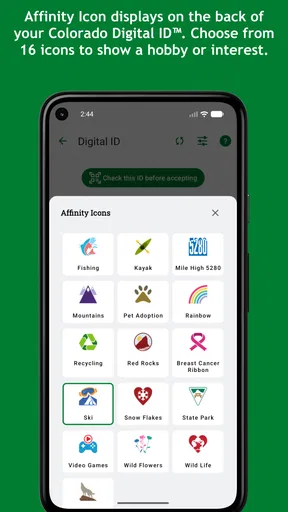
 Analysis by AppCompare
For a Colorado resident, the most useful question is not whether a state app can replace every government website or office visit. It is whether having one official place to begin will save time when a real task comes up. myColorado makes the strongest case when you need to find your way into a state service, not when you expect a complete government process to happen in a single tap.
I would judge it by three things: whether you deal with Colorado services often enough to benefit, whether you prefer starting on a phone, and whether you are comfortable switching to a browser or another channel when a task calls for more detail. The app is free and rated for Everyone, so trying it has little downside; the more important question is whether its mobile-first approach suits the way you handle official business.
Who is likely to get the most from it?
Colorado residents who deal with state matters more than occasionally are the clearest audience. New residents may also find a single starting point useful while learning which services belong to the state. If you help a family member keep track of an errand, the app can help you begin with the official route rather than passing around a collection of search results and saved pages.
It is less compelling for visitors who mainly want trip planning, local recommendations, or general information about the state. Those needs are better served by travel and local discovery tools. The same goes for someone who handles every administrative task on a desktop and already knows the relevant state websites: a dedicated app may add another step rather than remove one.
What myColorado does well in everyday use
The best part of the experience is the way it gathers state-related tasks into one recognizable place. Instead of remembering which Colorado website handles which question, I can begin with the app and look for the relevant service. That sounds modest, but it changes the starting point when I am standing in a parking lot, preparing for a trip, or trying to complete an administrative task during a short break.
I found the app most valuable when I treated it as a service hub rather than a general information app. If I already know what I need, the path is much clearer: open the app, identify the state service, and continue from there. If I am only browsing without a specific goal, the experience is less satisfying because government services naturally involve more forms, identity checks, and rules than a typical consumer app.
A realistic example is preparing for a vehicle-related errand. I might remember that I need to handle something with Colorado rather than with a private company, but not remember the exact state department or website. Opening myColorado gives me a practical place to begin. I can check the available service path before driving anywhere, gather the information I need, and avoid wasting a trip because I started with the wrong office.
Worth Reading Before You Choose

EA SPORTS FC Mobile 26 Is a Bigger Football Game, but It Takes Time

Flipboard Shows What News Apps Must Do Beyond the Feed

Switching to Android Auto Means Rethinking Your Driving Routine

Google Calendar Makes a Crowded Week Easier to Manage

Ludo King Makes the Most of the Minutes Between Plans

Baby Panda World Brings Quick Play to Modern Phones, but Its Game Library Feels Busy
That workflow reveals one of the app's less obvious strengths: it can reduce uncertainty before an appointment or transaction, even when it cannot remove every step. I would not assume that opening a digital service means the whole process is finished inside the app. Instead, I use it to discover the correct route, understand what action is expected, and keep the process organized.
A useful companion for state identification and official tasks
For Colorado residents who regularly interact with state government, the app is easier to justify than for someone who only visits briefly. It creates a single habit: check myColorado first when the issue belongs to the state. That habit is more useful than collecting bookmarks for separate agencies, especially when the phone is the device I already have in hand.
The official origin is important here. Because the developer is the State of Colorado - Governor's Office of IT, I am not relying on an unofficial directory that merely points toward public services. That does not guarantee that every interaction will feel effortless, but it gives the app a level of relevance and trust that a random third-party utility would not have.
I also appreciate that the app is aimed at ordinary residents rather than a narrow professional audience. The Everyone content rating reflects that broad positioning. A parent, a new resident, an older user who prefers a phone to a desktop, or someone handling a state task for a family member can all understand the basic reason to install it.
There is a practical trade-off, though. Official apps often need to respect the complexity of the systems behind them. A smooth mobile screen cannot simplify eligibility rules, required documents, deadlines, or agency-specific procedures that are inherently complicated. In my experience, myColorado is strongest when it makes the first step easier, not when I expect it to turn a complicated public process into a one-tap action.
How it compares with browsers, bookmarks, and unofficial tools
The usual alternative is to search the web every time a question comes up. That can work, but search results may mix official pages with outdated explanations, advertisements, or services that look authoritative without being connected to Colorado government. Starting with myColorado narrows the route and reduces the chance of choosing a misleading result.
Another alternative is saving several agency websites in a browser. That approach may be better for a person who already knows exactly which department handles each task. A browser can also be more comfortable for long forms, document-heavy pages, and users who prefer a large screen. I would choose the browser when I need to compare detailed instructions or keep multiple pages open side by side.
For quick, state-specific access, however, the dedicated app has a meaningful advantage: it gives me one place to remember. That is particularly helpful when I am not sure whether a question concerns licensing, identification, transportation, or another state service. The app does not replace the web; it improves the route into it.
I would be cautious with unofficial “all-in-one” government apps. They may offer attractive search tools, but they can blur the difference between Colorado services and private intermediaries. With myColorado, the official developer is visible and the purpose is direct. For sensitive administrative work, that distinction is worth more to me than a flashy interface.
A practical way to plan a task
For a time-sensitive errand, I would use the app before setting out, not while already waiting at an office. First, identify the state-related task; then use the app to find the appropriate route and note what the next step appears to require. If the instructions point toward a more involved process, switch to a browser or computer while there is still time to read carefully. This simple sequence helps avoid treating a convenient entry point as proof that an errand can be completed immediately.
That distinction is especially useful when several organizations might be involved. A state service, a county office, and a private provider can all be part of a resident’s practical problem, but they are not interchangeable. I would use myColorado to orient myself when the issue is state-level, then check the relevant organization directly if the next step belongs elsewhere.
The friction I noticed and where expectations need adjusting
The main weakness is not that the app has no value; it is that public-service convenience has limits. Some users may install it expecting every state interaction to be completed entirely on the phone. That expectation can lead to disappointment when a task still requires a separate process, additional information, or attention to instructions outside the app.
I also would not use it as my only source of preparation for an important deadline. Before starting a time-sensitive task, I would read the requirements carefully, check that I have the necessary details, and make sure I understand whether the next step is digital or in person. The app can guide me, but it cannot take responsibility for my eligibility, paperwork, or timing.
Another limitation is audience fit. Someone who lives outside Colorado and rarely needs state services may not gain much from keeping the app installed. A visitor looking for travel ideas, restaurants, weather, or local events should use a travel or local-information app instead. myColorado is not trying to be a broad Colorado lifestyle guide, and using it for that purpose would make it seem narrower than it needs to be.
Users who prefer desktop websites may also find the app unnecessary. Government forms and instructions can be easier to inspect on a larger display, especially when moving between email, saved documents, and a browser. My own compromise is to use the app for discovery and quick access, then switch to a computer when the task becomes document-heavy or requires careful comparison.
Three practical habits that make the app more useful
First, I recommend opening it before an errand rather than after arriving at an office. That gives me time to identify the correct service and notice whether the task appears suitable for mobile handling. This simple change is more valuable than treating the app as an emergency shortcut.
Second, I use it as a starting point for verification. If a message, search result, or social media post tells me to complete a Colorado government action, I prefer to enter through the official app and confirm that the service makes sense there. This is a useful defense against confusing a private service with a state process.
Third, I separate “finding the right service” from “finishing the service.” That mental model prevents overconfidence. I can use myColorado to get oriented, then slow down for identity details, forms, instructions, or any step that deserves more attention than a quick phone interaction.
These habits also answer a common practical question: is it worth installing if I only need it occasionally? For occasional users, I would install it when a specific state task is approaching, use it to establish the correct route, and decide afterward whether it deserves a permanent place on the phone. For residents who handle Colorado services several times a year, keeping it available makes more sense because the value comes from reducing repeated searching.
Version, access, and who should skip it
The current version is 13.3.1, and the app requires at least iOS or Android version 12. That requirement is important before downloading: people using older phones may need to rely on Colorado's web services instead. I would check the device requirement first, especially on an older family member's phone or a secondary device.
There is no purchase price, which removes the biggest barrier to trying it. Still, “free” does not mean every related activity is free or that every state process has identical requirements. I would judge the app by whether it saves time and confusion, not by assuming that the surrounding government service has no separate conditions.
I would skip it if my needs are mostly private-sector services, travel planning, local entertainment, or broad news. I would also skip relying on it alone if I need a full desktop workflow, detailed archival research, or a service that requires specialized professional guidance. In those cases, the official web page, a larger screen, or direct contact with the relevant office may be the better tool.
Privacy-conscious users may reasonably want to understand what a government service requires before creating or using an account. My advice is to approach only the features relevant to the task, read the on-screen instructions, and avoid entering information simply to explore. That is good practice with any official service app, particularly one connected to personal administrative matters.
How to decide whether to keep it installed
The app has an average rating of 4.2 from around twelve thousand ratings, with roughly five thousand six hundred written reviews and over five hundred thousand installs. Those figures suggest that it is a regularly used public-service tool, but they do not tell me whether it will suit a particular task. My own test is more practical: after using it for a real state-related need, did it help me find the right route faster than starting from a search page?
If the answer is yes, keeping it on the phone is reasonable, especially if you expect to handle another Colorado task later. If it serves only one occasional need, removing it afterward is also a sensible choice. The app is a convenience, not an obligation, and its usefulness depends on how often your life intersects with Colorado state services.
My final assessment of myColorado
I recommend myColorado to Colorado residents who want a dependable starting point for state services on a phone. Its strongest quality is focus: it connects the user with Colorado's official digital service environment instead of pretending to be a universal local app. The free access, broad age rating, and official development make it easy to try, while its established user base suggests that it is useful beyond a tiny group of early adopters.
My recommendation comes with a clear condition. Install it for orientation, access, and convenience, but keep realistic expectations about the work that government tasks may still require. It is not a magic shortcut around forms, eligibility rules, or careful preparation. For many residents, that is still enough to make a real difference, because finding the correct official path is often the most frustrating part.
In the end, I see myColorado as a practical civic utility rather than an app I would open every day. When I need Colorado state services, I would rather begin here than sort through an uncertain web search. When I need travel recommendations, private transactions, or a full desktop document workflow, I would choose something else. The best reason to use it is simple: it makes the official first step easier without pretending the entire process is effortless.
Pros
- Convenient access to state services from a single mobile app.
- Digital driver’s license support can simplify identity verification.
- Personalized alerts help users track renewals and important deadlines.
- Useful tools for finding nearby state offices and public facilities.
- Secure account features help protect sensitive personal information.
Cons
- Some features require Colorado residency and an eligible state-issued ID.
- Setup may involve identity verification and several permission requests.
- Not every government service can be completed entirely in the app.
- Availability and functionality may vary by device or operating system.
- Users without reliable internet access may find the app less practical.
FAQs for myColorado
What is myColorado, and what can I use it for?
myColorado is the official mobile app for the State of Colorado, designed to bring selected government services and information together in one place. After installing it, users may be able to access a digital Colorado driver license or state identification card, verify their identity, review state resources, and use participating services. Available features can depend on your eligibility, device, account status, and the specific state service you need.
Can myColorado replace my physical driver license or ID card?
The app may provide a digital version of an eligible Colorado driver license or identification card, but it should not automatically be treated as a complete replacement for the physical card in every situation. Acceptance can vary between law enforcement, businesses, government offices, airports, and other organizations. Before relying on the digital credential, keep your physical ID with you and check Colorado’s current guidance regarding where and when it is accepted.
How do I set up and verify my account in myColorado?
Setting up myColorado generally involves creating an account with personal information, confirming your email or phone number, and completing an identity-verification process. You may be asked to scan your identification document, take a selfie, or provide additional details so the app can confirm that you are the rightful cardholder. Good lighting, a current ID, and accurate information can make verification easier.
Is my personal information secure when using myColorado?
myColorado handles sensitive information because it can be connected to identity documents and government services. The app uses account protections and identity-verification measures intended to reduce unauthorized access, but users should still protect their phone, enable a secure screen lock, and avoid sharing login codes. Review the app’s privacy policy and permissions before use, and install it only from an official app store.
What should I do if myColorado is not working or I lose my phone?
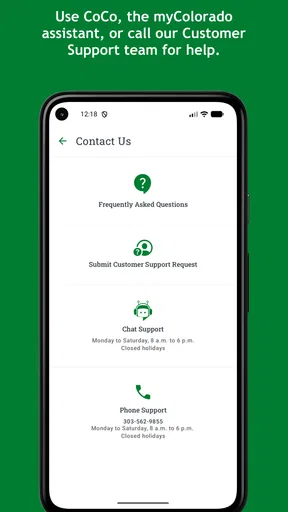
If myColorado fails to load, cannot verify your identity, or has trouble displaying a credential, first check your internet connection, update the app, restart your device, and confirm that camera and notification permissions are available. If the problem continues, use the app’s official help or support options. If your phone is lost or stolen, secure your account promptly and rely on your physical ID until access is restored.


